9/21
2.4. Full program
-
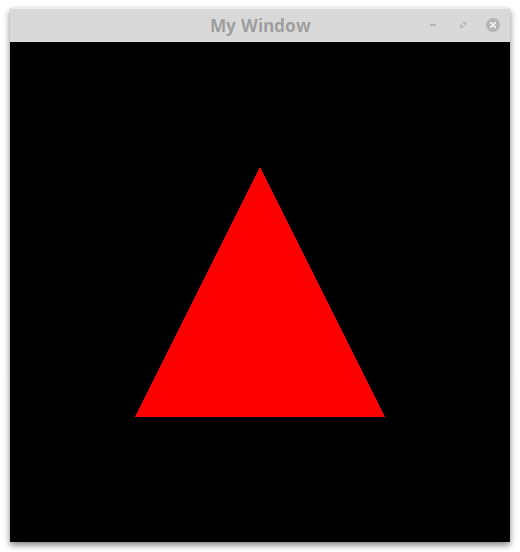
Compile and execute the complete source code corresponding to this triangle drawing.
Screen space coordinate system
-
Modify the values of the \((x,y)\) components of the triangle. Try to understand how the OpenGL system axis in screen space is working, more precisely, where the following points are placed on screen (keep a square window)
-
\((-1,-1)\)
-
\((-1,1)\)
-
\((1,1)\)
-
\((1,-1)\)
-
\((0,0)\)
-
Remember that no projection is applied on the 3D coordinates, therefore their (x,y) coordinates corresponds to the screen space one.
-
Modify the \(z\) component of the triangle. Differentiate two cases
-
\(z\in[-1,1]\)
-
\(|z|>1\)
-
Explanation
OpenGL draw fragments which are in the visible space defined as the unit cube \([-1,1]^3\). All fragments outside this cube are not drawn.
In real case scenario a perspective projection is applied to 3D vertex coordinates. This unit cube corresponds to the perspective projection of a truncated pyramid with square basis called a frustum. This means that visible vertices (or more precisely fragments) are the one placed inside this frustum. This is called frustum culling.
Shader modification
-
Modify the fragment shader to display a uniformly yellow triangle.
-
Modify the vertex shader to translate and scale the triangle.
Explain in particular the difference and visual result between the two following code in the vertex shader
gl_Position = position;
gl_Position *= 2.0;
and
gl_Position = position;
gl_Position.xyz *= 2.0;
Second triangle
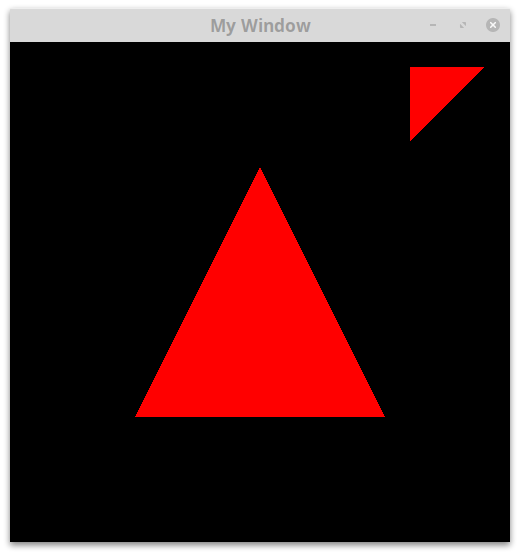
Consider the structure defining coordinates of two triangles in replacement of the initial position variable.
const std::vector<GLfloat> position = {
    -0.5f, -0.5f, 0.0f,
     0.5f, -0.5f, 0.0f,
     0.0f,  0.5f, 0.0f,


     0.9f,  0.9f, 0.0f,
     0.6f,  0.9f, 0.0f,
     0.6f,  0.6f, 0.0f
};-
Modify the code in order to display these two triangles.